Choose
Shipping, local delivery or pickup dates and time slots from the cart.
Let customers choose local delivery or pickup dates while you control postcode areas, delivery capacity, date-specific products, time slots and the production load behind Valentine’s Day, Mother’s Day and other peaks.
Free plan available · Cart-page delivery and pickup scheduling for Shopify.
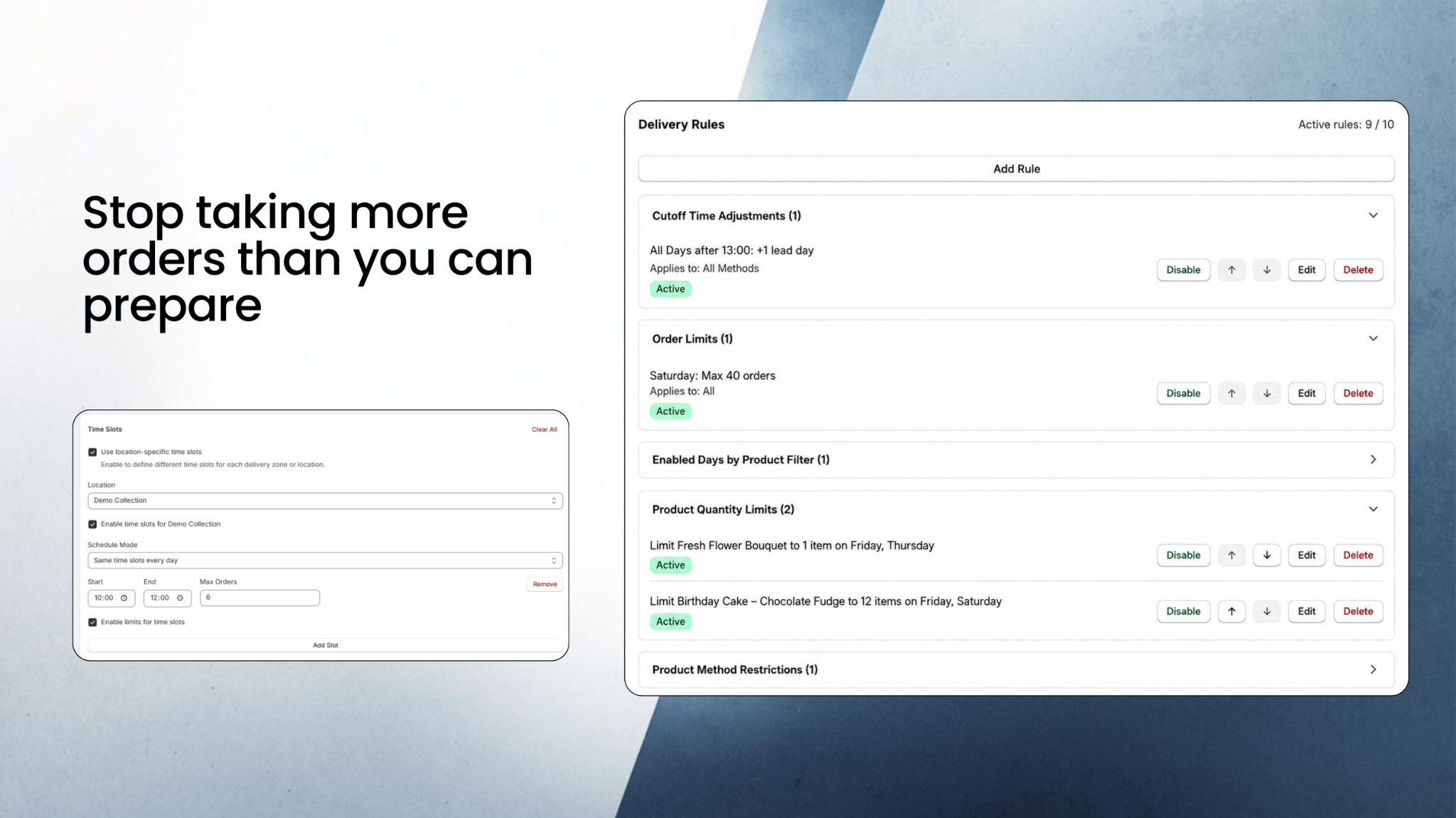
A florist can go from a normal week to a huge spike in orders around Valentine’s Day or Mother’s Day. The calendar may still show the date, even when vans, florists or individual bouquet lines are already at capacity.
TruBytes combines scheduling with day, product and time-slot capacity so the dates customers see can reflect what the business can actually fulfil.
Set maximum orders, order value, individual product quantities and time-slot limits so the store can close only the capacity that is actually full.
Set maximum orders, order value, individual product quantities and time-slot limits so the store can close only the capacity that is actually full.
Create local delivery areas using postcode matching or radius rules, with their own weekdays, minimum spends, prices and customer-facing messages.
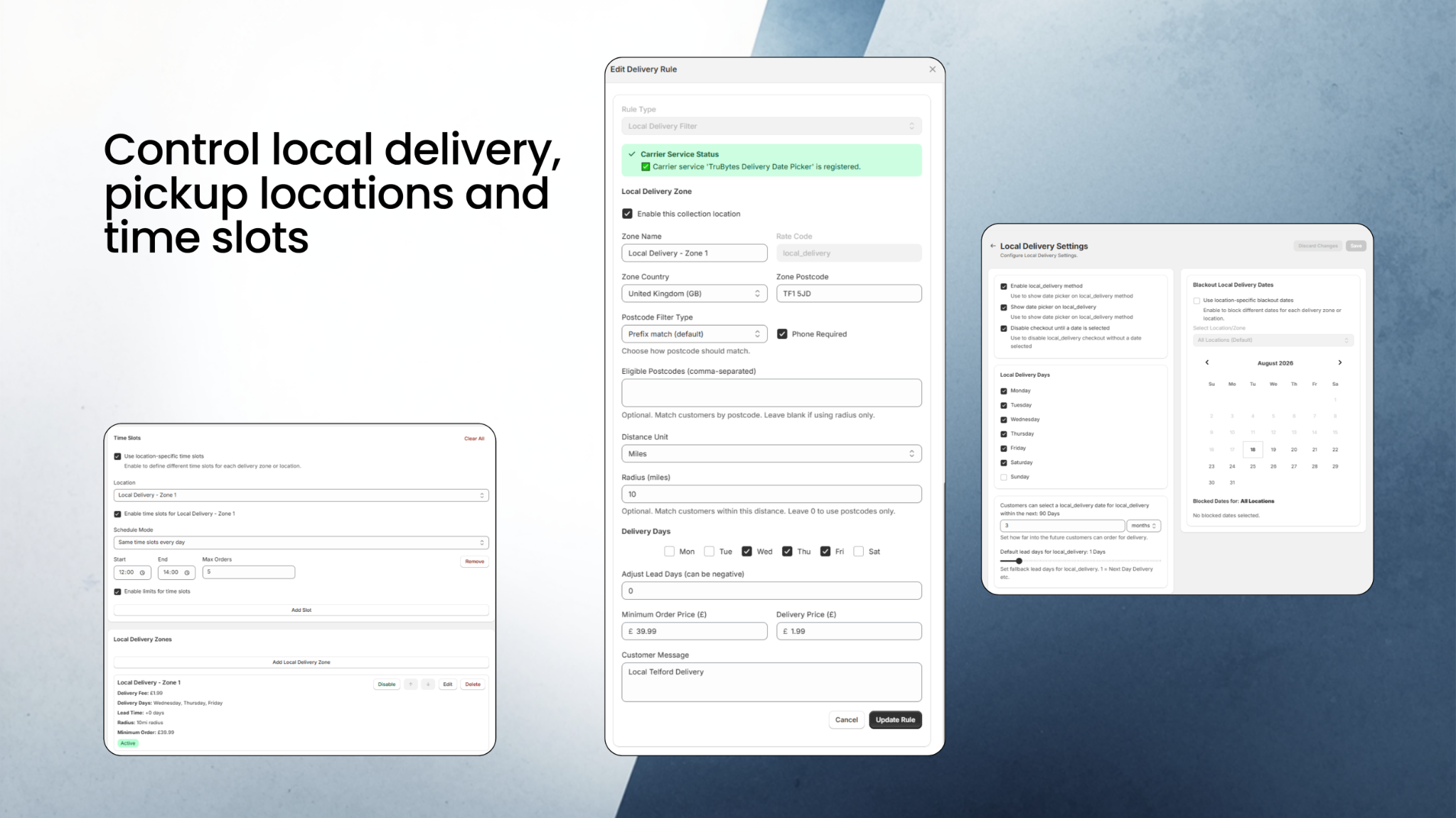
Create local delivery areas using postcode matching or radius rules, with their own weekdays, minimum spends, prices and customer-facing messages.
Use incoming dates, restricted dates, product-specific weekdays and surcharges for seasonal products and premium delivery days.
Use incoming dates, restricted dates, product-specific weekdays and surcharges for seasonal products and premium delivery days.
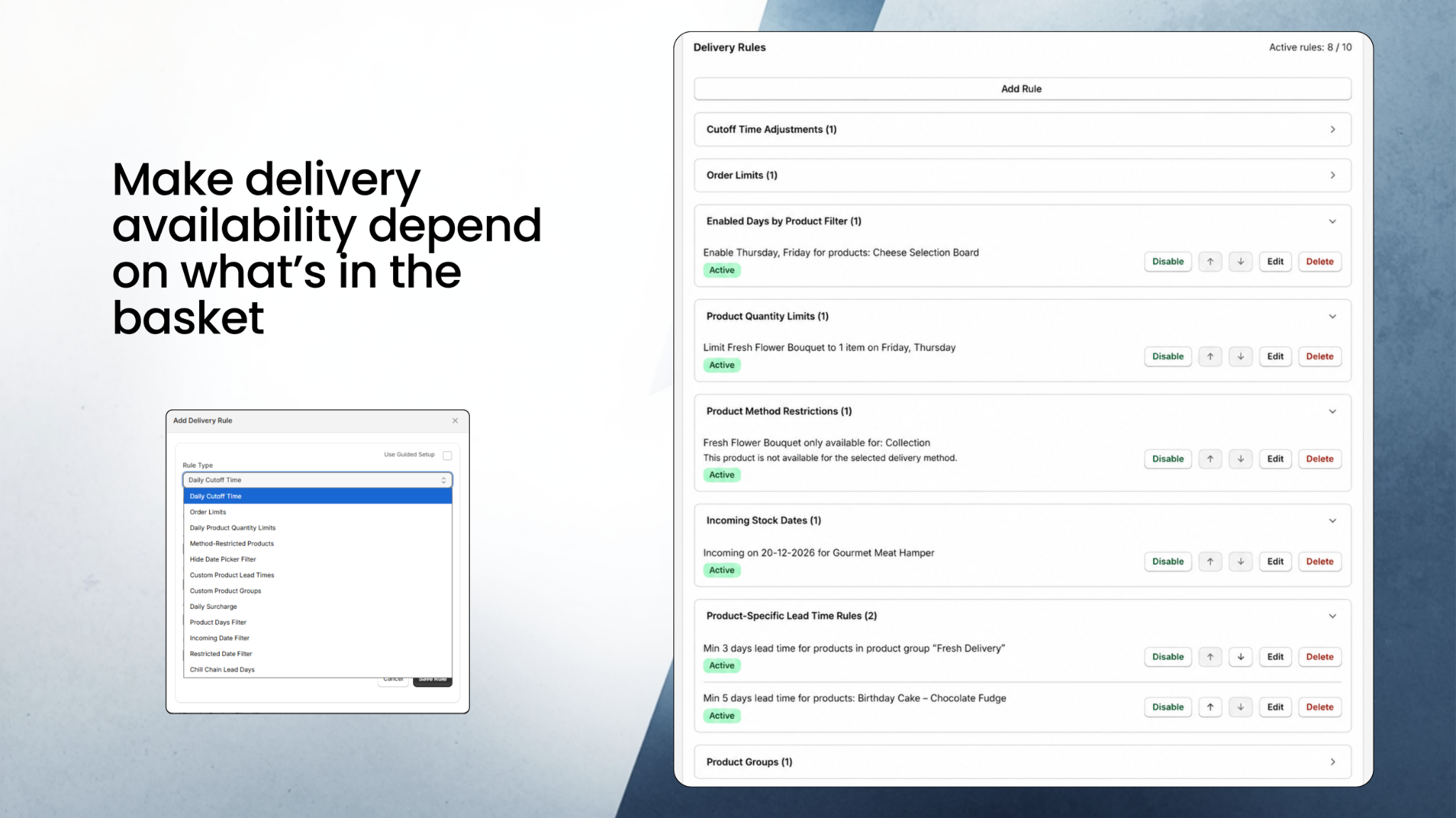
TruBytes combines customer date selection with the operational rules and admin tools needed to prepare those orders.
Shipping, local delivery or pickup dates and time slots from the cart.
Lead times, cutoffs, product rules, capacity, zones and surcharges.
View upcoming orders by delivery date and generate production lists.
Edit Draft Order delivery details and use paid operational tools as the business grows.
Yes. Daily order limits and product quantity limits can control the total workload and individual bouquet quantities for a date.
Yes. Daily surcharge rules can apply additional charges to selected methods and dates.
TruBytes local delivery rules can validate eligible postcode zones or radius-based areas as part of the local delivery workflow.
Yes. Each fulfilment method can have its own available weekdays, lead times, blackout dates and time slots.
The current public app uses a Shopify cart-page app block before checkout. Cart-drawer, product-page and checkout date selection are not currently supported.
See the main Shopify Delivery Date Picker page for pricing, local delivery, Draft Orders and production tools.
Start on the Free plan and test the scheduling rules with your own products and fulfilment setup.